
NorseMania Casino on Your Phone: Answers to 12 Questions About the Mobile Site Without an App
This page covers only the NorseMania Casino mobile site. Promotions, the cashier and the licence are covered in our main NorseMania Casino guide. We tested the site in Safari on iPhone and in Chrome on Android and set out this guide as answers to the questions UK users ask most often.
Is There a NorseMania Casino App
No. There is no app in the App Store or Google Play. There is also no official PWA that installs as a separate program. The site works as a responsive website that adapts to your screen size.
If you are looking for the NorseMania Casino App, the only official option is the site in your phone’s browser.
Can I Install an APK on Android
The operator does not release APK files. Files named “NorseMania” on third-party sites have no connection to the site. Their contents cannot be checked, and such a file can capture your login, password and card details. We do not recommend installing them.
Which Phones and Browsers Are Supported
The site does not publish minimum system requirements. In our test, it worked without issues in Safari on iPhone and in Chrome on Android.
| Requirement | What you need |
|---|---|
| Browser | the latest version of Safari, Chrome, Firefox or Samsung Internet |
| Internet | a stable connection, especially for live tables and in-play betting |
| Storage | none required, nothing is downloaded |
| Permissions | the site does not request access to your camera, contacts or location |
How to Add the Site Icon to Your Home Screen
The icon opens the site with one tap, like a regular app. It does not need updating, as all changes happen on the server.
On iPhone: open the site in Safari, tap the Share button, choose Add to Home Screen and confirm.
On Android: open the site in Chrome, tap the three-dot menu, choose Add to Home screen and confirm.
There is no need to allow installation from unknown sources, as nothing is installed on your phone.
What Is on the Bottom Bar
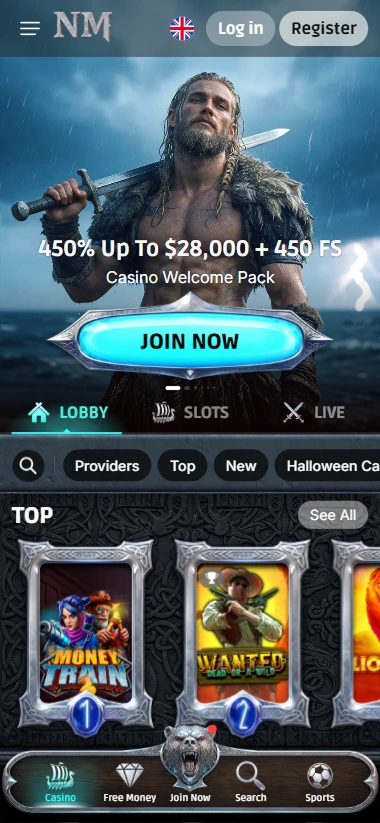
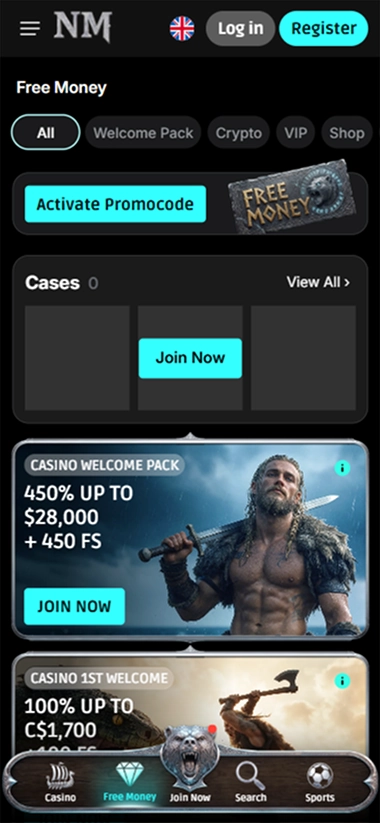
The main difference in the mobile version is the fixed bottom bar with five buttons, all easy to reach with one hand.
| Button | What it opens |
|---|---|
| Casino | the lobby with the Top, New, Trending and Bonus Wager collections |
| Promotions | packages, the rewards shop, WinStreak and tournaments |
| Join Now | the registration form |
| Search | search by title |
| Sports | the Betby sportsbook |
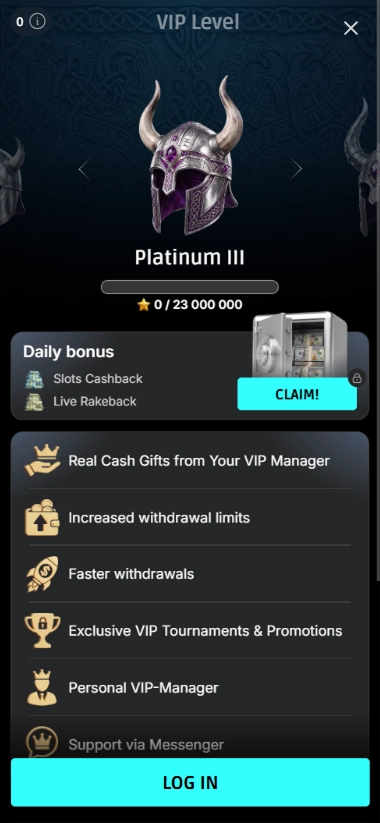
A Shop button for the rewards shop sits above the bar on the left. The menu in the top left corner opens the VIP, Wheel of Gods, Premium Cases, Providers and Tournaments sections.
Is It Convenient to Bet on Football on a Phone
Yes, and for UK customers this is the main reason to keep the site icon on their screen. The “England” section includes the Premier League, Championship, League One, League Two, National League, FA Cup and EFL Cup.
- The Popular, Live and Upcoming tabs switch with one tap.
- The Betslip window slides up from the bottom of the screen.
- Quick Bet mode places a bet with a single tap.
- At the bottom of the page, the odds format can be changed to Fractional, the format familiar to UK punters.
In-play markets include both real matches and 12-minute virtual eSoccer games. The Esports tab covers 16 titles, from Counter-Strike to FC 27.
Does the Full Lobby Work on a Phone
Yes, the full lobby of 11,942 titles opens in a mobile browser. Slots adapt to a vertical screen, and live tables are better viewed horizontally.
Demo play works without an account, just as on a computer. Gold Rush with Johnny Cash, where casino package free spins go, loaded for us in a few seconds. Some slots have no demo, for example Blast the Bass, and this is clear as soon as you open them.
Are Promotions and the Rewards Shop Available
Yes, all packages, the loyalty scheme and the shop work on a phone without restrictions.
- Wheel of Gods: a free Zeus Wheel once a day, followed by the paid Hades Wheel.
- Rewards shop: 5 free spins every 24 hours for customers with a deposit.
- WinStreak: a task chain paying C$ 1,500 for all stages.
- Tournaments: Monthly Masters and Weekly Rush with a leaderboard.
The £5 stake limit with an active bonus also applies on a phone. On a small screen, it is best to check the stake before every spin.
How to Pay on a Phone
The mobile cashier works the same way as on a computer. Apple Pay on iPhone and Google Pay on Android let you pay without entering card details, but they do not accept withdrawals. For withdrawals you will need a card, Skrill or a crypto wallet, and it is best to set these up in advance.
How to Keep Your Account Safe on a Phone
Account access depends on your email and password, and there is no two-factor authentication. This is especially important on a phone if someone else uses the device.
- Do not save your password in the browser on a shared phone.
- Turn on screen lock and protect your email, as passwords are reset through it.
- Open the site only at its official address and do not follow links in emails from unknown senders.
For home devices, the site recommends parental control software such as Net Nanny.
Will I Receive Notifications
There are no push notifications, since there is no app. All messages arrive by email: the activation email, the password reset link and marketing emails. You can unsubscribe from marketing in your account settings or through support. Permissions for cookies and pop-ups are managed in your browser.
What to Do if the Site Is Not Working Properly
If buttons are misaligned, the cashier is not responding or the sportsbook is slow to load, try the following in order:
- reload the page;
- clear the site’s cache and cookies and log in again;
- update your browser to the latest version;
- switch from mobile data to Wi-Fi or the other way round.
The sportsbook once took longer than usual to load for us, and reopening the page solved the problem. If the issue persists, live chat is available around the clock and opens on a phone.
The Mobile Site Versus Desktop
| Parameter | Mobile browser | Computer |
|---|---|---|
| Lobby | 11,942 titles | 11,942 titles |
| Sports | Betby, one-tap Quick Bet | Betby |
| Navigation | bottom bar with 5 buttons | top menu and side collections |
| Payments | cards, Skrill, crypto, Apple Pay and Google Pay | cards, Skrill, crypto |
| Notifications | email only | email only |
| Languages | English, French | English, French |
Mobile Version Summary
What works well
- nothing to install, and the site is always up to date;
- a bottom bar with the main sections within easy reach;
- Quick Bet and fractional odds in the sportsbook;
- Apple Pay and Google Pay for fast payments.
What is missing
- an app and push notifications;
- two-factor authentication;
- withdrawals via Apple Pay and Google Pay;
- consistent loading speed in the sportsbook.